
Get started with Pharos Borrow/Lend on Oku
A guide to using Oku for borrowing and lending on Pharos.
Pharos, built for real-world financial applications, is now live on Oku. That means you can bridge in, trade $PROS or any token, and then put your assets to work with Morpho, all in one place. By the end of this guide, you'll be able to:
- Earn yield on your USDC
- Borrow against $PROS or $wsrUSD without selling your position
Step 1: Bridge your funds to Pharos
- Open Oku and go to the Bridge page.
- Select your origin chain and the asset you want to bridge.
- Choose Pharos as the destination chain.
- Review the transaction, sign it, and wait for your funds to arrive.
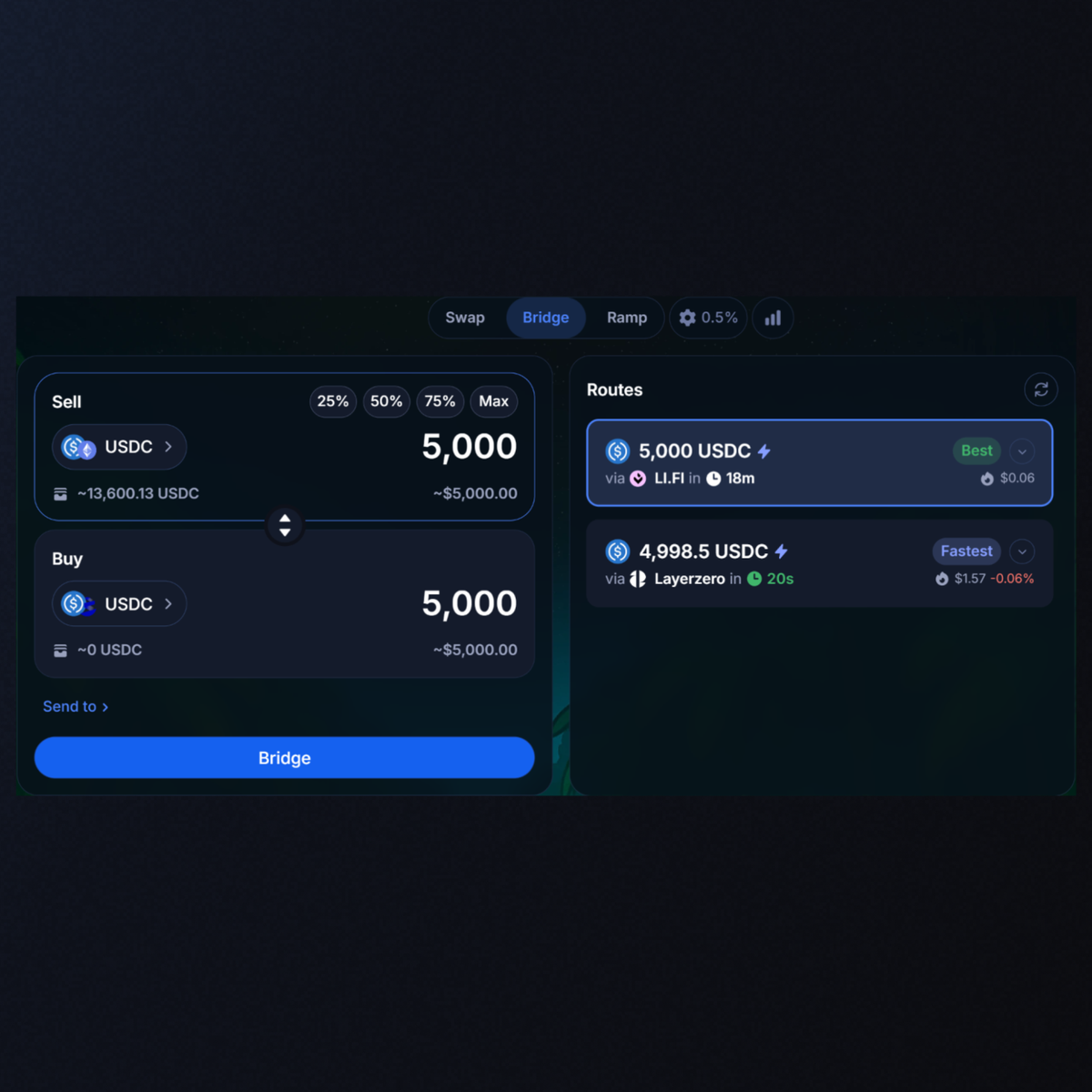
For example, you can bridge USDC on Ethereum to USDC on Pharos, powered by LI.FI.
Step 2: Supply assets and earn yield
Once your funds land on Pharos, you can start earning.
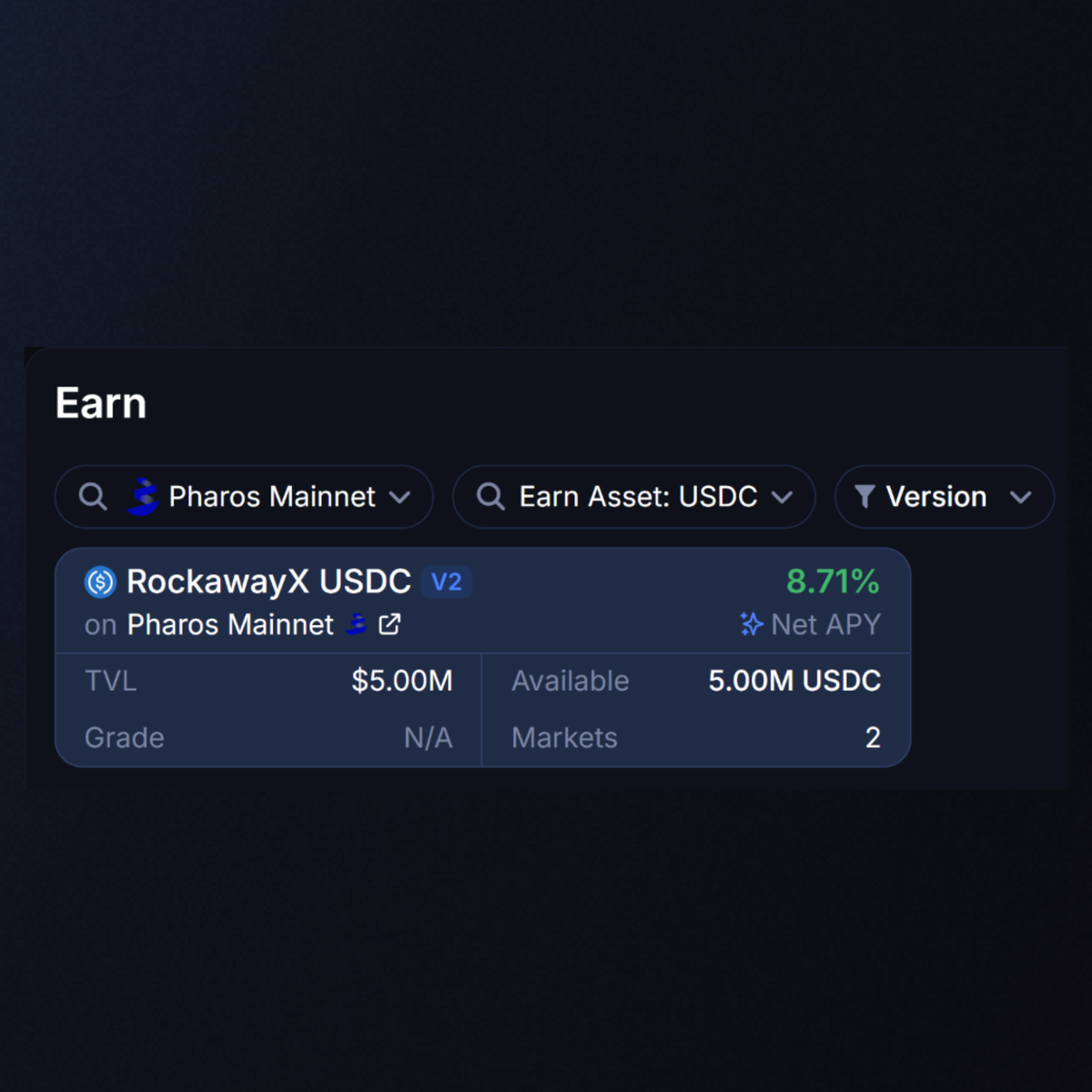
- Click Earn at the top of the page.
- Select Pharos as your chain.
- Choose the Rockaway X vault.
- Enter the amount of USDC you'd like to supply.
- Review and sign the transaction.
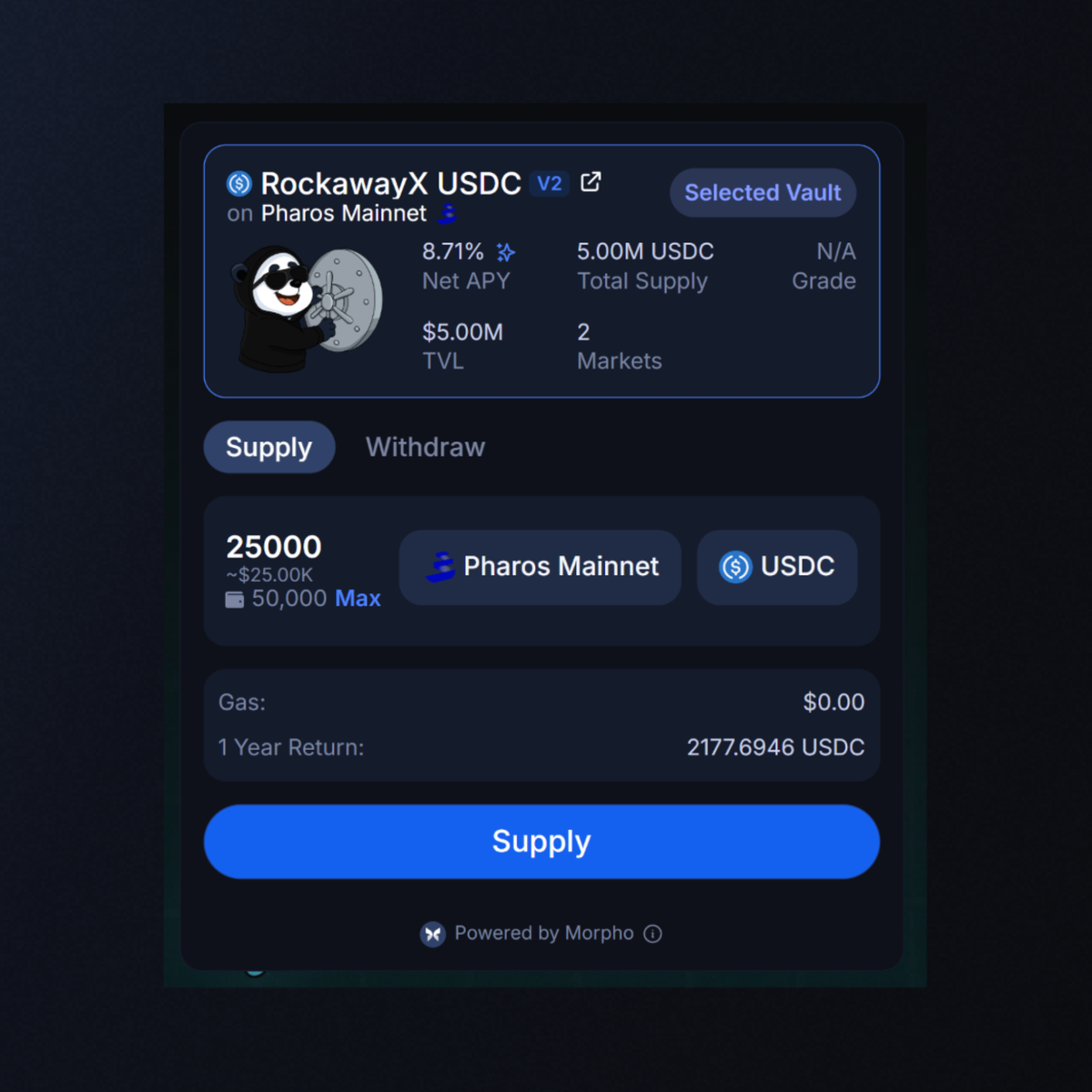
Once confirmed, your USDC starts earning yield right away.
Step 3: Borrow
Borrowing lets you access liquidity without selling what you hold. To borrow, you'll need some collateral on Pharos first, like $WPROS. You can get it by swapping on Oku's Swap page or bridging it in, the same way you brought over your USDC.
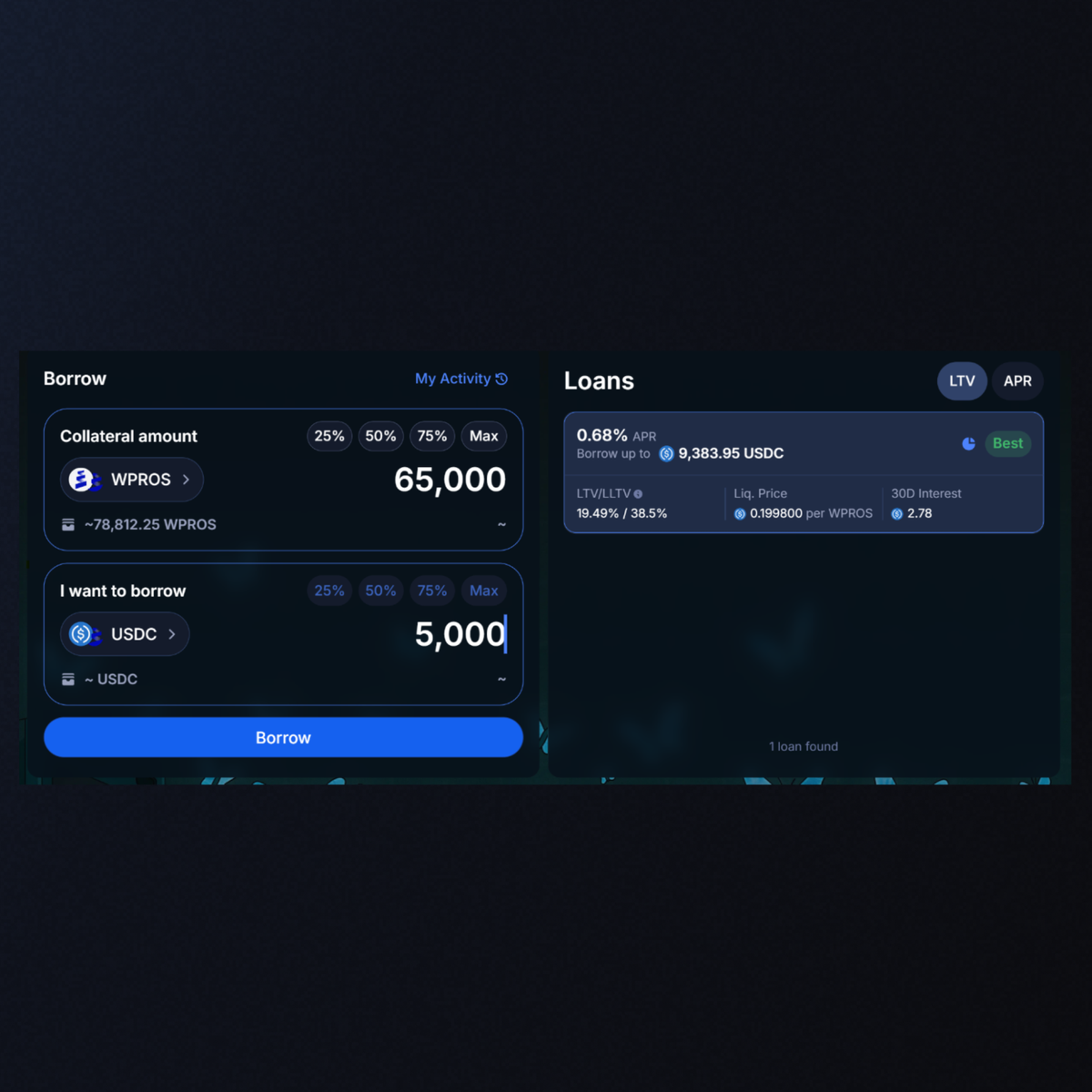
- Navigate to the Borrow tab next to Earn.
- Select Pharos as your chain.
- Choose the collateral you'd like to borrow against. In the example above we’re supplying $WPROS
- Select the asset you want to borrow.
- Enter the amount you'd like to borrow.
- Review the transaction and sign it.
Once confirmed, the borrowed assets land in your wallet. You keep your $WPROS position and can repay the loan whenever you're ready to unlock it. It’s that easy - try it out today!